Multiple assets
You can register identical assets that are spread over multiple locations as a multiple asset. 'Multiple locations' can refer to both different spaces and different properties (buildings).
This type of asset registration saves repetitive data entry, as you only need to enter a single asset record.
You can register an asset as a multiple asset by selecting No in the Simple field of the asset. At > you can assign the different locations to the multiple asset.
If you select Yes in the Simple field, the asset is registered as a simple asset, which can only have one location.
 | Registering an asset as 'simple', does not necessarily mean that its Quantity must be 1. You can register a larger quantity (decimal values are allowed). |
Examples
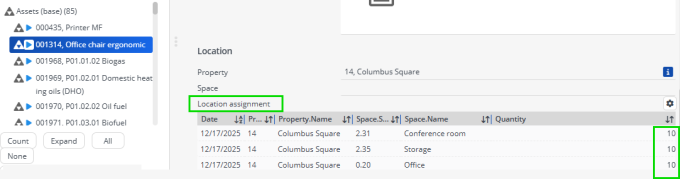
Multiple asset: 30 identical office chairs distributed over multiple locations.
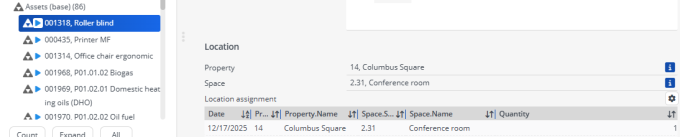
Simple asset - 10 identical roller blinds in a single space: