Viewing requestor-related information on Parent order block
If configured on your app, you can check information from the original Request (parent order) related to your work assignment. You can see who requested the work and view relevant information such as:
• answers given in an intake questionnaire
• comments added by the back-office
Procedure
1. On the app, open / download the work assignment.
Before you accept the work, you can already view the request-related information.
2. Select the Parent order block to view information from the original request on the Summary page.
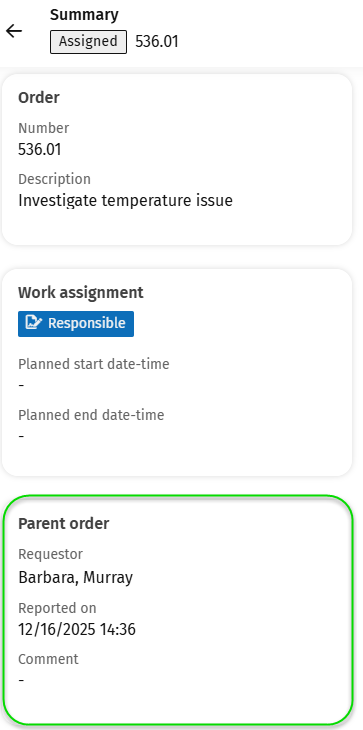
You go to the Parent order details page, where you can find useful information from the original request.
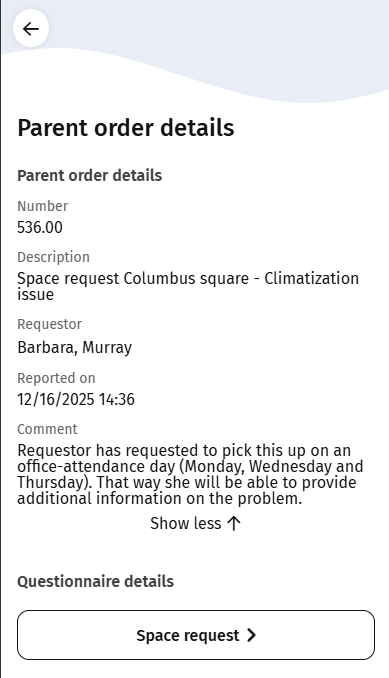
3. If applicable, select the button at Questionnaire details to navigate to the linked questionnaire and answers.
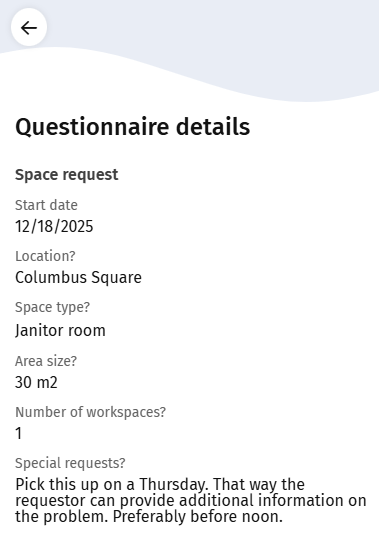
4. After viewing the information, return to the Summary page to consult other blocks or to select the Work action.