Post migration
Detailed migration information is available in the log viewer.
To review migration logs:
1. Go to Log viewer.
2. Filter log messages using the Source field.
3. Enter the job number of the migration batch to view related messages.
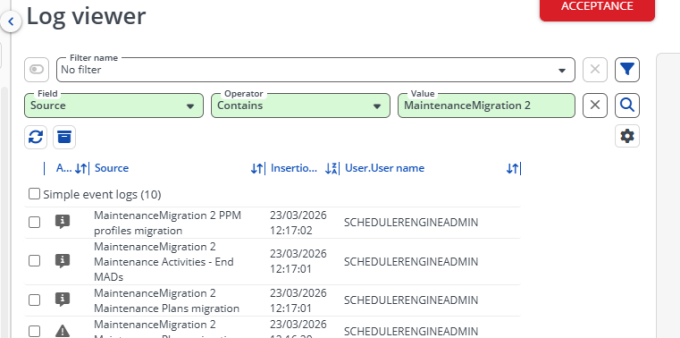
Log messages include:
• Information messages for each completed migration step.
• Warnings indicating non-blocking issues.
• Errors indicating migration problems that may require corrective action. See also the list of common warnings and error in Errors and Warnings.