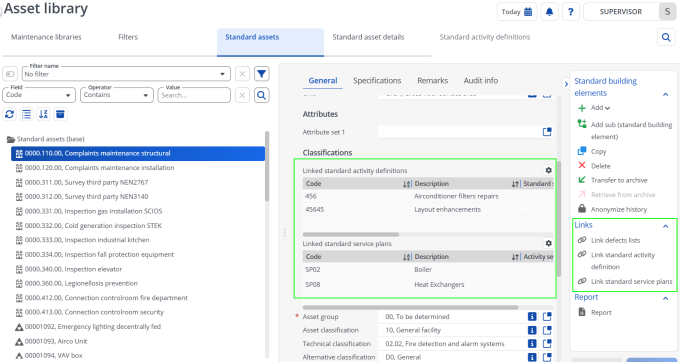
Viewing linked standard activity definitions and standard service plans
Standard assets in the Asset library can be linked to both Standard service plans and Standard activity definitions. These linked elements define how maintenance and operational activities are structured for the asset.
The Standard assets layout provides fields that display all linked elements in one place, allowing you to quickly review the standard asset’s configuration: Linked standard activity definitions and Linked standard service plans.
With these fields added to the layout of Standard assets, you can:
• View all linked elements in one place.
• Understand how the asset is configured for maintenance and operations.
• Avoid missing linked activity definitions during planning or analysis.
Procedure
1. Go to Asset library > Standard assets.
2. In the elements list, select the required standard asset to which the standard activity definitions or standard service plans are linked.
You can view all standard service plans and standard activity definitions linked to the selected standard asset.