Generating orders in planboard
You can generate individual and clustered orders from activity planboard. This feature accelerates order creation and eliminates unnecessary navigation, allowing you to work without switching back and forth between the activity planboard and the data viewer.
Procedure
1. Go to Activity planner TSI > Activity definitions selection level.
2. Click Activity planboard icon.
3. Select the activity definitions for which you want to generate orders.
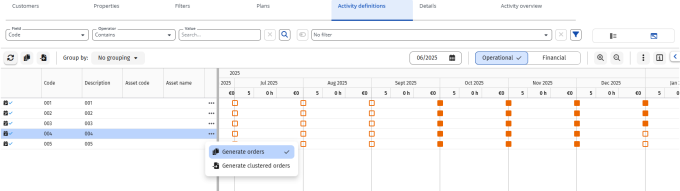
4. Click Generate orders or Generate clustered orders to start the order generation.
 | You can generate the orders in the following ways: • Use the icons on the context menu • Right-click on the activity definitions • Right-click on the  on the context menu on the context menu |